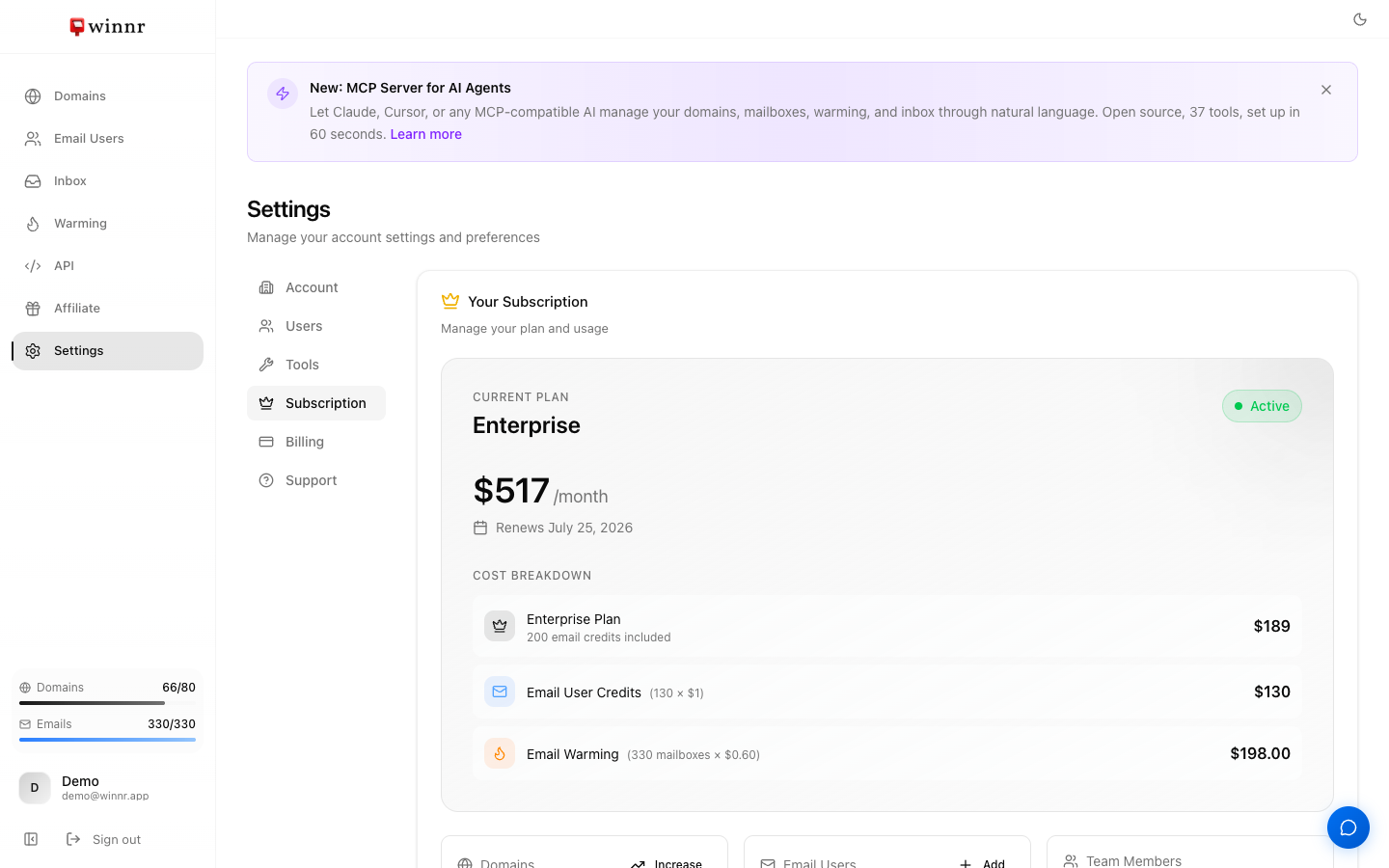
There are two plans. Startup is $69/month with 50 mailboxes and 10 domain slots to start. Enterprise is $189/month with 200 mailboxes, 40 domain slots to start, and a 1:1 onboarding call. Domain slots are free: raise them yourself in Settings → Subscription. Extra mailboxes are $1 each per month on either plan, so Startup plus extras is cheaper up to 170 mailboxes; above 170, pick Enterprise. Plan for 10 to 20 cold emails per mailbox per day. You can switch plans any time from Settings → Subscription, and the change applies immediately with prorated billing.
Side-by-side
| Startup | Enterprise | |
|---|---|---|
| Price | $69/month | $189/month |
| Included mailboxes | 50 | 200 |
| Extra mailboxes | $1/mailbox/month | $1/mailbox/month |
| Domain limit | 10 (raise yourself up to 500) | 40 (raise yourself up to 500) |
| Total daily sending capacity | ~2,500 emails | ~10,000 emails |
| API rate limit | 300 requests/min | 500 requests/min |
| Built-in warming | $0.60/mailbox/month | $0.60/mailbox/month |
| Pre-warmed marketplace | $3/address/month | $3/address/month |
| Dedicated IPs | Not available | $20/IP/month |
| 1:1 onboarding call | No | Yes |
| API, MCP server, exports | Yes | Yes |
Everything is monthly, no minimum commitment, cancel any time.
About the sending numbers. The daily capacity above is the total across all included mailboxes, counting both cold email and automated warming (about 50 per mailbox per day). For cold email to real prospects, plan on 10 to 20 per mailbox per day: 10 is safe, 15 is the normal recommendation, 20 is aggressive. So 50 mailboxes send roughly 500 to 1,000 cold emails a day.
How to pick
The right plan comes down to how many mailboxes you need.
- Mailboxes = your daily cold email target ÷ 15 (the normal pace), rounded up.
- Up to 170 mailboxes: Startup plus $1 extras is cheaper. At 170, Startup ($69 + 120 × $1) costs the same as Enterprise.
- Above 170 mailboxes: Enterprise.
Example: 1,000 cold emails a day ÷ 15 = 67 mailboxes. That's Startup plus 17 extra mailboxes ($86/month), on 14 domains at 5 mailboxes per domain.
Enterprise also makes sense if you: - Run outreach for several clients or a large SDR team - Want dedicated IPs - Want a 1:1 onboarding call with the Winnr team
When in doubt, start on Startup. Upgrading later takes a click and doesn't lose anything.
What both plans include
- Full REST API and MCP server access for AI assistants such as Claude, ChatGPT, and Cursor
- Exports to Smartlead, Instantly, EmailBison, Salesforge, Snov, Reply.io, Woodpecker, Mailshake, SalesHandy, and many more sending tools
- Domain purchase (Winnr registers it for you) and bring-your-own-domain
- Automatic SPF, DKIM, and DMARC on every domain
- The universal inbox for reading replies across all mailboxes
- Winnr Agent, the in-app assistant that answers questions and can make changes for you
- Access to the affiliate program (40% recurring for 12 months per referral)
Add-ons that stack on either plan
- Built-in warming: $0.60 per mailbox per month for each mailbox you turn it on for. Warm new mailboxes for at least 2 weeks before cold sending, 4 weeks on a brand-new domain.
- Pre-warmed marketplace mailboxes: $3 per address per month. Separate from your plan's limits, no minimum term.
- Email-user credits: $1 per mailbox per month for mailboxes beyond your plan's included count.
- Dedicated IPs (Enterprise): $20/IP/month. See when a dedicated IP is worth it.
Switching plans
In Settings → Subscription, use Upgrade to Enterprise or Downgrade to Startup. Both take effect immediately and are prorated. See Upgrade or downgrade your plan.
Cancelling is on the same tab. You keep access until the end of the paid period, then your domains are disabled. You can resubscribe within 90 days and pick up where you left off. Pre-warmed addresses are billed separately and aren't cancelled with the plan.
What's next
- Ready to buy? Create your account
- Already signed up? Set up your first domain
- More on billing: Upgrade or downgrade
Frequently asked questions
Can I switch plans later?
Yes, any time, from Settings → Subscription. Upgrades and downgrades both apply immediately and are prorated. An upgrade charges the difference for the rest of the period; a downgrade credits the unused part to your account balance. Neither deletes mailboxes or domains.
What happens if I exceed my mailbox limit?
When a new batch would take you over your limit, the app adds email-user credits at $1 per mailbox per month (it shows the cost before you confirm) instead of blocking you. You can also upgrade the plan.
Are pre-warmed marketplace mailboxes counted in the plan limit?
No. Pre-warmed mailboxes are a separate pool billed at $3 per address per month. They don't count against your plan's mailboxes or domains, and you don't need a plan to buy them.
Do I need Enterprise to use the API or MCP server?
No. Both plans get full API and MCP access. The only API difference is the rate limit, 300 requests per minute on Startup and 500 on Enterprise.
Can I get a dedicated IP on Startup?
Dedicated IPs are a $20/IP/month add-on on Enterprise. Upgrade first, then email support@winnr.app to have one set up.
Is there annual billing?
No. Every plan and add-on is billed monthly. There's no annual plan or annual discount, and no minimum commitment.
Is there a free trial?
No, there's no free trial or free plan. You can sign up and look around the app without a card. To buy or connect domains and create mailboxes you need a paid plan. Plans are monthly with no minimum commitment.