In Winnr go to Email Users → Export, choose Warmy, click Export, then Download CSV. In Warmy, add mailboxes with the Bulk Upload option and upload the file. The file sets Use IMAP and both SSL/TLS columns to TRUE and Authentication method to login. If Warmy warms a mailbox, turn Winnr's warming off on it.
Warmy is a warming platform for building and monitoring mailbox reputation. Winnr provisions the mailboxes; if you prefer Warmy to Winnr's built-in warming, this export loads them straight in.
What's in the Warmy file
| Column | What Winnr puts in it |
|---|---|
| Email address | The full email address |
| SMTP username | The full email address |
| SMTP password | The mailbox password |
| SMTP host | That mailbox's mail server |
| SMTP port | 465 |
| Use SMTP SSL/TLS | TRUE |
| Use IMAP | TRUE |
| IMAP username | The full email address |
| IMAP password | The mailbox password (same as SMTP) |
| IMAP host | That mailbox's mail server |
| IMAP port | 993 |
| Use IMAP SSL/TLS | TRUE |
| From name | The mailbox's display name |
| Private key | Empty |
| Authentication method | login |
Check before you upload
- One warming service per mailbox. Turn Winnr warming off on these mailboxes before Warmy starts, or they get warming from both. Disabling it (rather than pausing) also stops Winnr warming billing.
- SSL/TLS columns. Keep both TRUE. Ports 465 and 993 only accept SSL connections.
- Private key. Leave empty. Winnr mailboxes log in with the password in the file.
Volume while warming
The Warmy file carries no volume settings, so Warmy's own schedule applies. Keep each mailbox's total daily volume, warming plus any cold sends, at 50 or under, and give new mailboxes at least two weeks of warming before cold sending at 10 to 20 per day.
What's next
Step-by-step
-
1. Select the mailboxes in Winnr
Open Email Users and tick the mailboxes you want to warm in Warmy. To take one domain, filter by it and tick the header checkbox. With nothing ticked, the export includes every mailbox in your account.
-
2. Export in the Warmy format
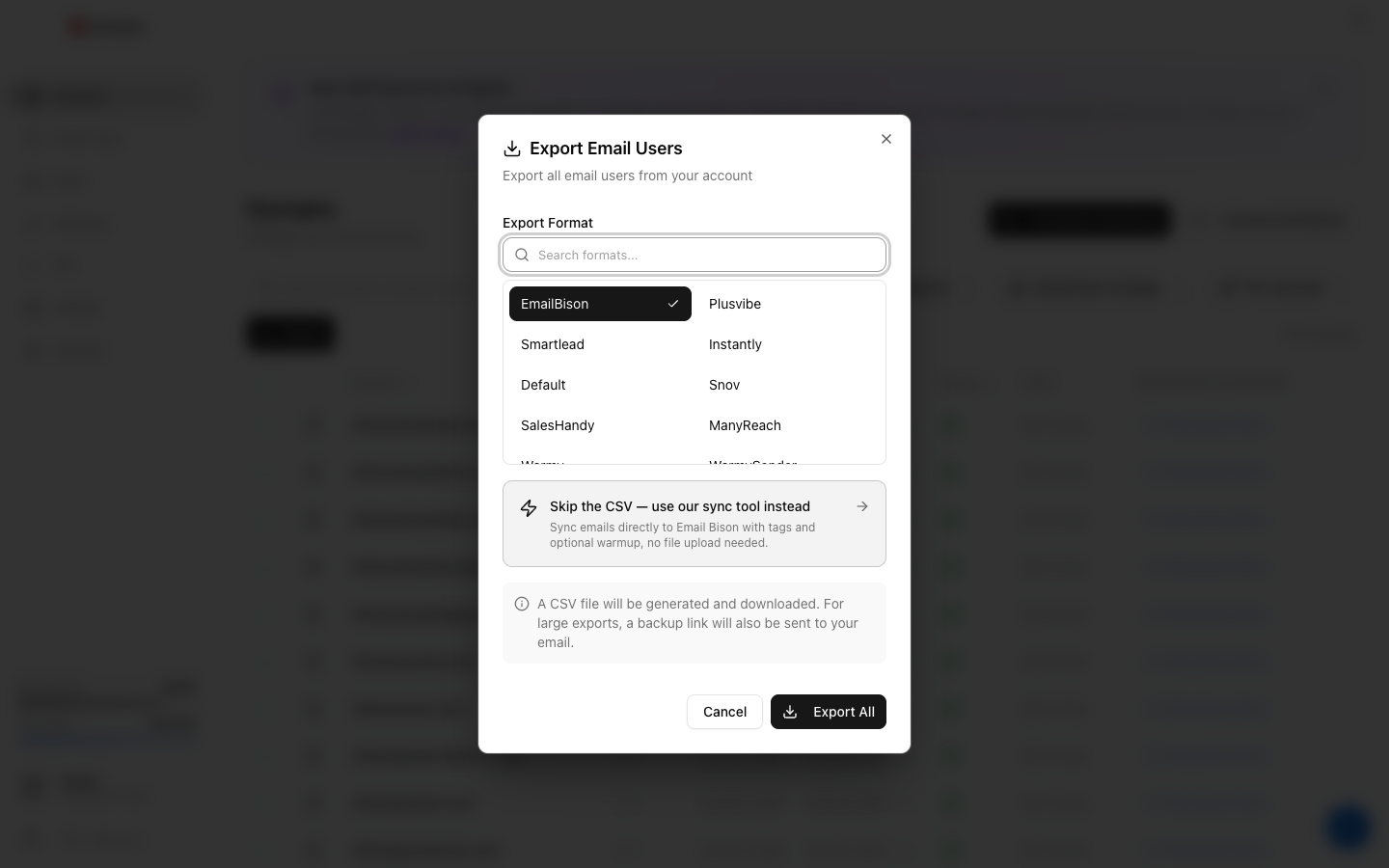
Click Export, choose Warmy under Export Format (the search box finds it quickly), then click the Export button.
-
3. Download the CSV
Click Download CSV. The link lasts 15 minutes, so export again if it has expired. The file holds passwords in plain text, so keep it private.
-
4. Turn off Winnr warming on these mailboxes
If any of the mailboxes have Winnr warming on, pause or disable it, so each mailbox is warmed by one service only.
-
5. Bulk upload to Warmy
In Warmy, start adding a mailbox, choose Bulk Upload and upload the Winnr file.
-
6. Confirm every mailbox connected
Warmy tests each mailbox's SMTP and IMAP connection. Check every mailbox connected before starting a warming schedule.
Frequently asked questions
Warmy or Winnr warming?
Use one per mailbox. Winnr's built-in warming is $0.60 per mailbox per month and runs inside Winnr; Warmy is external and priced separately. If you move a mailbox to Warmy, disable Winnr warming on it.
What does Authentication method login mean?
Warmy logs in with the username and password in the file. Winnr mailboxes do not use OAuth, so login is the right choice and Private key stays empty.
Why is Use IMAP TRUE?
It tells Warmy to connect over IMAP as well as SMTP, which its bulk upload needs. Keep it TRUE; the file includes the IMAP username, password, host and port.
Does Warmy send campaigns?
No. Warmy only warms. You still need a sequencer, such as Smartlead or Instantly, for the outreach.
Warmy reports a connection error on a mailbox. What now?
Check SMTP password and IMAP password for that row. A password changed in Winnr after you exported will not match the file. Export that mailbox again and re-upload it. If a fresh export still fails, see the mailbox authentication troubleshooting guide.