In Winnr go to Email Users → Export, choose MasterInbox, click Export, then Download CSV. In MasterInbox, open your email-account settings and use the bulk import to add the file's mailboxes. The file carries only the address, full name and IMAP and SMTP logins, since MasterInbox manages replies rather than campaigns.
MasterInbox is a unified inbox for cold-email teams: it brings replies from many sending accounts into one place. Winnr provisions and warms the mailboxes; MasterInbox manages the replies.
What's in the MasterInbox file
| Column | What Winnr puts in it |
|---|---|
| Email Address | The full email address |
| Full Name | The mailbox's display name |
| IMAP USERNAME | The full email address |
| IMAP Password | The mailbox password |
| IMAP Host | That mailbox's mail server |
| IMAP Port | 993 (SSL) |
| SMTP USERNAME | The full email address |
| SMTP Password | The mailbox password (same as IMAP) |
| SMTP Host | That mailbox's mail server |
| SMTP Port | 465 (SSL) |
Check before you upload
- Column names. Keep the headers exactly as exported, including the upper-case IMAP USERNAME and SMTP USERNAME, so the import recognises them.
- SSL. There is no encryption column. If MasterInbox asks, choose SSL: 993 for IMAP and 465 for SMTP.
- Same mailboxes as your sequencer. Export the same selection you loaded into your sending tool, so every mailbox that sends also has its replies collected.
Sending limits still apply
MasterInbox has no limit column because it does not run campaigns, but the mailboxes it reads still need sensible limits in your sequencer: 10 to 20 cold emails per mailbox per day (15 is a good default), and 50 or under in total including warming.
What's next
Step-by-step
-
1. Select the mailboxes in Winnr
Open Email Users and tick the mailboxes whose replies you want in MasterInbox. To take one domain, filter by it and tick the header checkbox. With nothing ticked, the export includes every mailbox in your account.
-
2. Export in the MasterInbox format
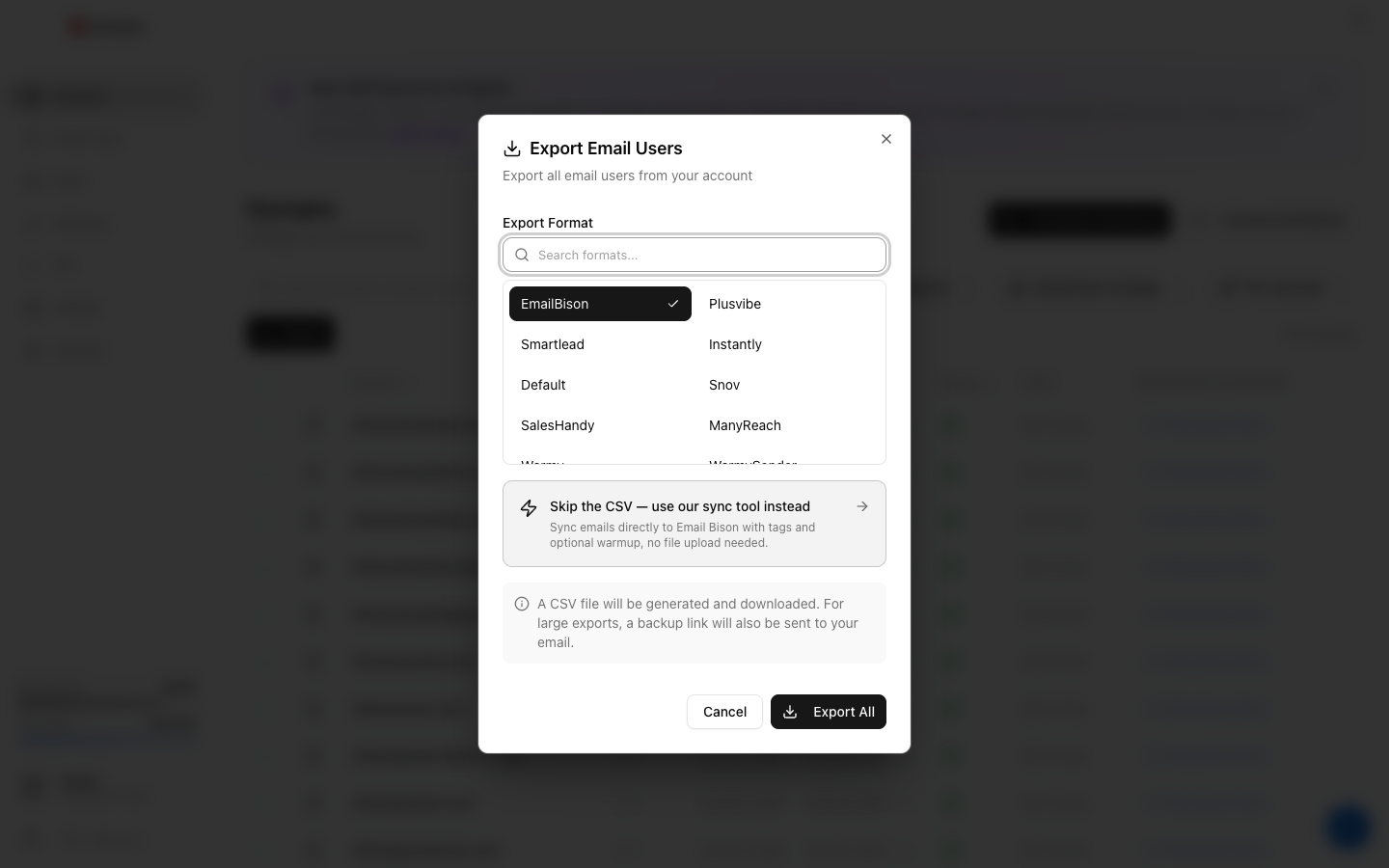
Click Export, choose MasterInbox under Export Format (the search box finds it quickly), then click the Export button.
-
3. Download the CSV
Click Download CSV. The link lasts 15 minutes, so export again if it has expired. The file holds passwords in plain text, so keep it private.
-
4. Import into MasterInbox
In MasterInbox, open your connected email-account settings and use the bulk import option with the Winnr file.
-
5. Confirm every mailbox connected
Check every mailbox shows as connected so no replies are missed.
Frequently asked questions
What is MasterInbox for?
It is a unified inbox for reply management. Many teams send with a sequencer such as Smartlead or Instantly and use MasterInbox as the reply layer over the same Winnr mailboxes.
Why is there no daily limit in this file?
MasterInbox reads and answers replies; it does not run campaigns. Set sending limits in the sequencer that sends from these mailboxes.
Why does the file include SMTP if MasterInbox only reads replies?
So you can answer replies from MasterInbox. IMAP brings the replies in; SMTP sends your answers from the same Winnr mailbox.
Where does warming fit in?
Warming runs on the mailbox, not in MasterInbox. Use Winnr's built-in warming ($0.60 per mailbox per month) and MasterInbox simply reads the inbox.
Replies stopped appearing in MasterInbox. What now?
Check the IMAP Password for that mailbox. A password changed in Winnr after you exported will break the IMAP connection. Export that mailbox again and update it in MasterInbox. If a fresh export still fails, see the mailbox authentication troubleshooting guide.