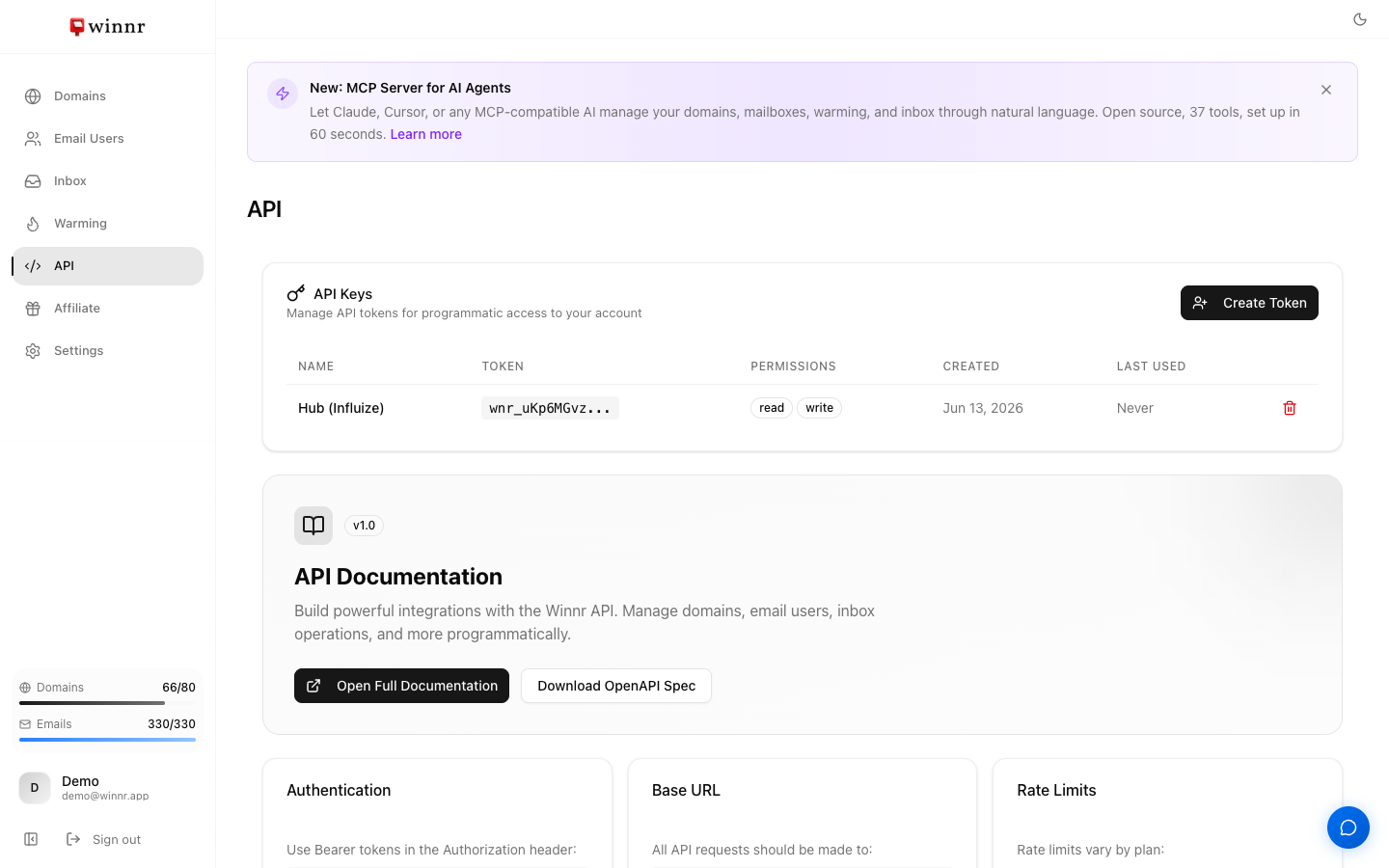
The Winnr API is a REST API at https://api.winnr.app/v1. It uses Bearer tokens, which you create on the API page in the app. It covers the core operations: buy or connect domains, create mailboxes, manage DNS records, enable warming, read and send from the inbox, export credentials, buy pre-warmed domains and receive webhooks. Startup gets 300 requests per minute and Enterprise 500. The full OpenAPI spec is at app.winnr.app/docs.
When to use the API vs. the app
Use the app when: - Setting up your account for the first time. - Making one-off changes (a new domain, a warming tweak). - Reading metrics and dashboards.
Use the API when: - Provisioning at scale (10+ domains in a batch). - Automating recurring tasks, like a weekly export to your sending tool. - Building on Winnr (AI SDR pipelines, custom dashboards, internal tools). - Integrating with your CRM or ops workflow.
Three ways to use it
- Direct HTTP. Any language, any client. Use the OpenAPI spec to generate a typed client if you want one.
- Webhooks. Let Winnr push events to you (domain ready, mailbox created, email received and more) instead of polling. See Webhooks.
- MCP server. For AI assistants such as Claude, ChatGPT and Cursor. It exposes 55 tools the assistant can call directly. See MCP setup.
Quick example
Create a mailbox on a domain that's already in your account:
curl -X POST https://api.winnr.app/v1/email-users \
  -H "Authorization: Bearer wnr_YOUR_TOKEN" \
  -H "Content-Type: application/json" \
  -d '{
    "domain": "yourdomain.com",
    "username": "sam",
    "name": "Sam Chen"
  }'
The response includes a job_id. Mailbox creation runs in the background and usually finishes within a few minutes. When GET /v1/jobs/{job_id} shows completed, GET /v1/email-users?filter[domain]=yourdomain.com lists the mailbox with its SMTP and IMAP hosts and ports, and POST /v1/export gives you full credentials, including passwords, in your sending tool's format. A password is generated for you unless you pass one (8 characters minimum).
Response format
Every response is JSON. Successful calls put the result in data, with a meta block holding a request_id. Errors use standard HTTP status codes and an error object with a machine-readable code and a readable message. Include the request_id if you contact support about a call.
What's next
Frequently asked questions
What can I do with the API?
The core operations you do in the app. Search, buy and connect domains, manage DNS and custom records, create and update mailboxes, enable and tune warming, read and send from the inbox, export credentials, buy and cancel pre-warmed domains, manage API tokens and team users, and set up webhooks.
What's the base URL?
https://api.winnr.app/v1
What auth does it use?
Bearer tokens. Send the header Authorization: Bearer wnr_YOUR_TOKEN. Create tokens on the API page in the app, with Read, or Read and Write, permission.
Is the API included in Startup?
Yes. Every plan has full API access. Only rate limits differ, 300 requests/minute on Startup and 500 on Enterprise.
Where's the full spec?
OpenAPI 3.1 spec at [app.winnr.app/docs](https://app.winnr.app/docs), with an interactive explorer. The API page in the app also has a Download OpenAPI Spec button.
Why do some calls return a job ID instead of the result?
Operations that take time, like buying domains or creating mailboxes, run in the background. Poll GET /v1/jobs/{job_id} or subscribe to webhooks to know when they finish.