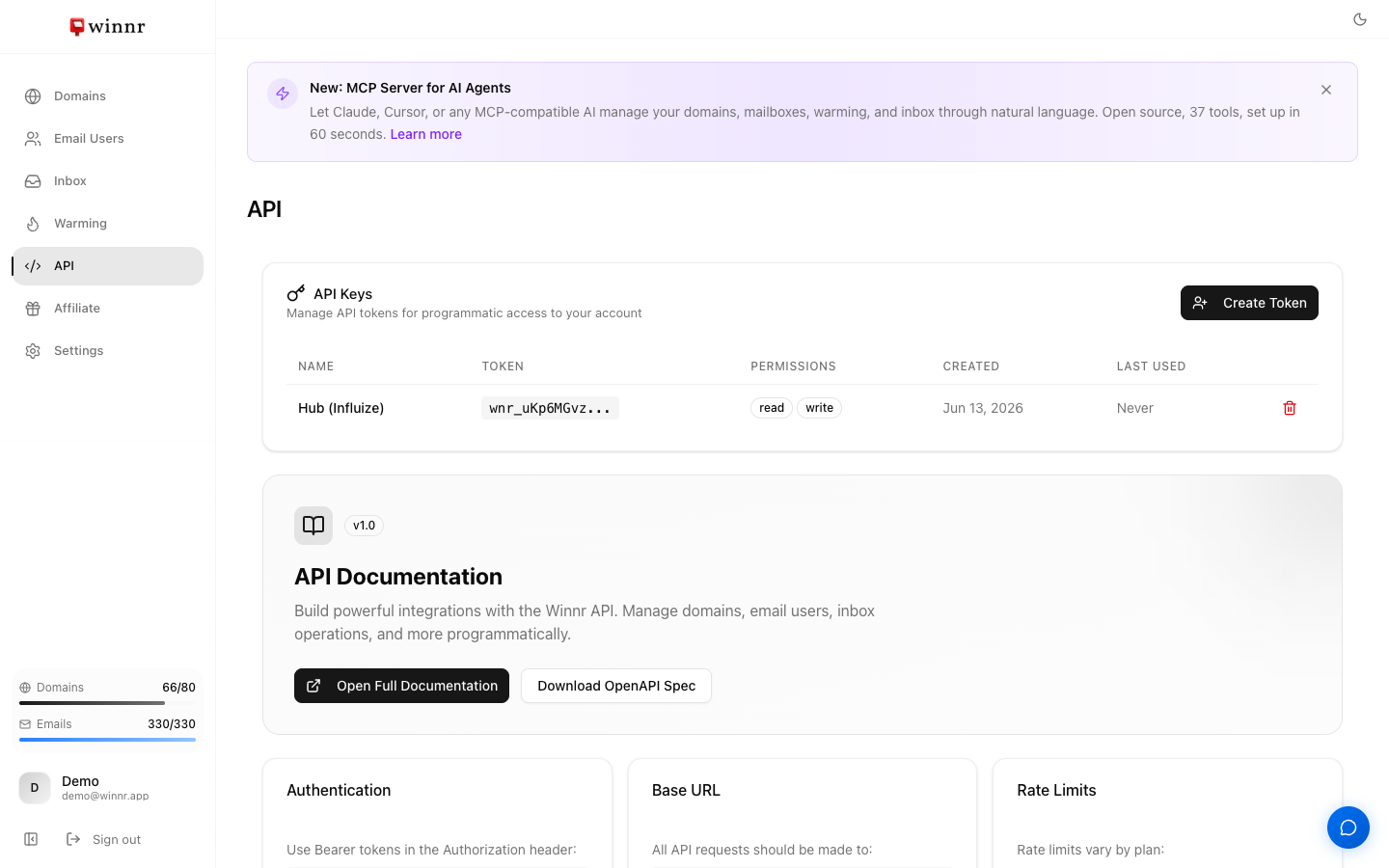
In the app sidebar, open API, then click Create Token in the API Keys section. Name the token, choose its permissions (Read, Write, or both) and click Create Token. Winnr shows a token starting with "wnr_" once, so copy it immediately. Send it as "Authorization: Bearer wnr_..." on API requests. Revoke a token any time with the bin icon on its row.
Token format
Every Winnr token starts with wnr_, followed by your account ID and a random string: wnr_<account_id>_<24 random characters>. The prefix makes Winnr tokens easy to recognise in logs and secret managers. The API Keys table shows only the start of each token, along with its permissions, when it was created and when it was last used.
Permission choices
Read. Safe default for scripts that only pull data. It can call every GET endpoint, plus a few lookups that don't change anything (bulk domain availability search, DNS provider check and the pre-warmed blocklist check). It can't create, change or delete anything, and it can't export credentials.
Read and Write. Full access. Needed for anything that buys domains, creates mailboxes, enables warming, sends email or exports credentials.
Only add Write when you need it. A leaked read-only token exposes data. A leaked read/write token can also change, delete and spend.
Storage best practices
- Secret manager. Keep tokens in a secret manager, not in code or in env files committed to git.
- Environment variables at runtime. Load the token from your secret manager into an environment variable when your app starts.
- Never in browser-side code. Anyone who can see the token can use your account, including buying domains.
- Rotate periodically. Every 6-12 months, create a new token, switch your apps over and revoke the old one.
Revoking a token
On the API page, click the bin icon on the token's row, then Revoke Token to confirm.
Revocation is immediate. Any API call using the token fails with 401 Unauthorized from then on. Update your apps first, then revoke.
What's next
Step-by-step
-
1. Open the API page
In the app sidebar, click API. Your tokens are listed under API Keys.
-
2. Click Create Token
A dialog opens.
-
3. Name the token
Use the app or script that will use it, for example "AI SDR pipeline" or "weekly export cron".
-
4. Choose permissions
Read lets the token list and view everything. Write lets it create, change and delete. Leave Write unticked for scripts that only pull data.
-
5. Create and copy the token
The token is shown once. Copy it straight into your secret store. If you close the dialog without copying it, create a new token.
Frequently asked questions
What if I lose the token?
It can't be shown again. Create a new token, update your app to use it, then revoke the old one.
How many tokens can I create?
There's no set limit. Use one token per app or use case so you can revoke them independently.
Do tokens expire?
Tokens created on the API page don't expire. If you create a token through the API (POST /v1/auth/tokens), you can pass an expires_at date and the token stops working after it.
Are rate limits per token or per account?
Per account. All tokens share your plan's limit (300 requests/minute on Startup, 500 on Enterprise).
Can a read-only token export credentials?
No. The credentials export contains mailbox passwords, so it needs a token with Write permission.
What if a token is compromised?
Revoke it immediately on the API page, then create a new token and roll it out to your apps.
Why is there a token called "MCP · Claude" (or similar) that I didn't create?
Connecting an AI assistant through the hosted Winnr MCP server creates a token named after that assistant. Revoking it disconnects the assistant.